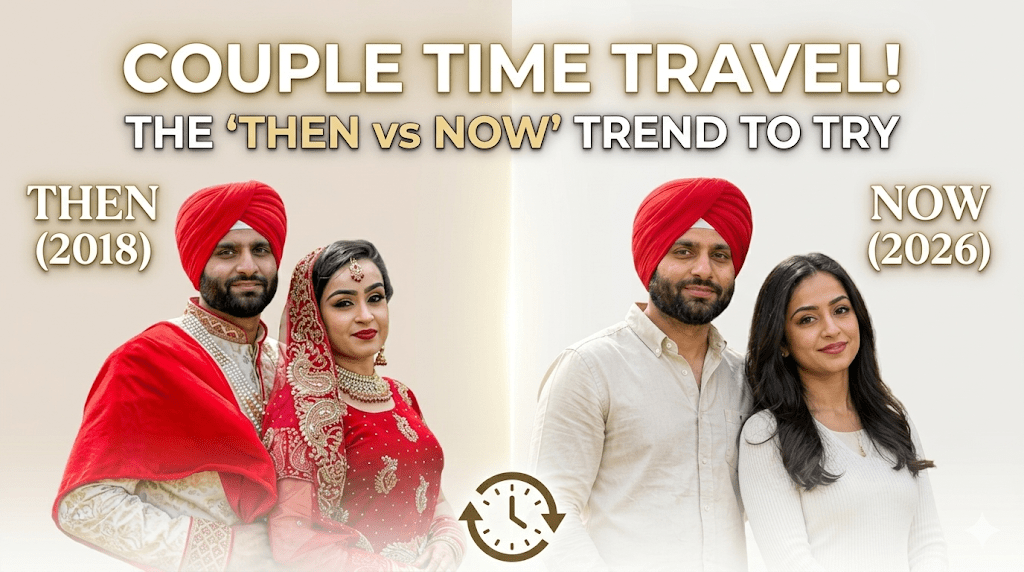
Have you seen this one on Instagram recently?
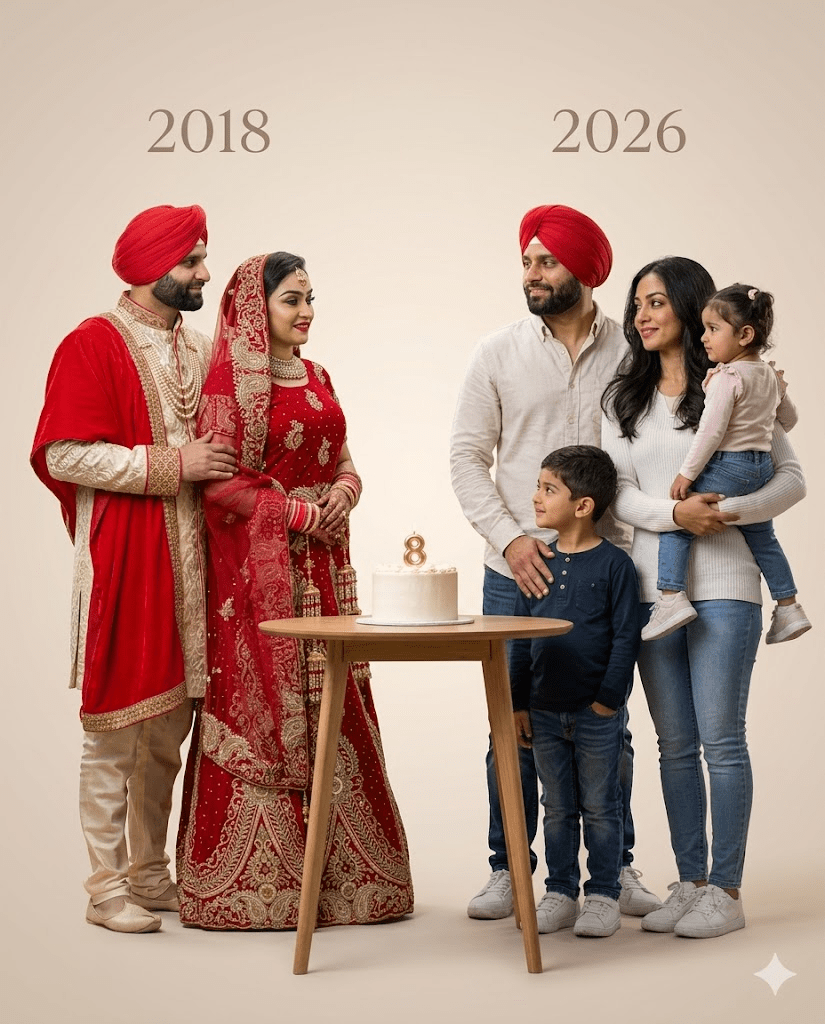
On the left — a couple at their wedding day, young, dressed up, smiling with that fresh nervous excitement. On the right — the same couple years later, now a full family with kids, laughing together around a birthday cake. Both photos in one single frame. A number in the middle showing how many years apart.
It is emotional. It is personal. And it is going insanely viral.
This is the ChatGPT couple time travel photo prompt — the then and now AI edit that is making people cry and share at the same time. And right now, it is one of the most trending AI prompts on Instagram in 2026.
I am going to give you the full prompt, show you how to use it, and give you variations for every kind of relationship and occasion. Let’s go.
What Is the Time Travel Photo Trend?
The time travel photo trend is simple but powerful.
You take two photos — one from the past and one from the present — and ask AI to combine them into a single, studio-quality split frame. The left side shows who you were. The right side shows who you became. A year is written above each side to mark the time jump.
The most popular version right now is the wedding to family edit. A couple uploads their wedding photo and a recent family photo with their kids. The AI places both versions of them in one cinematic studio frame with a cake or anniversary element in the middle.
The result looks like a real professional photoshoot. But what makes it go viral is the emotion behind it. It is not just a pretty picture — it tells a story.
Why This Edit Is Emotionally Viral
There is a simple reason this prompt breaks Instagram every single time.
People do not just like the photo. They feel it.
Seeing someone’s wedding day right next to their family years later — with kids, growth, and life in between — triggers a real emotional response. People tag their partners. They share it in stories. They save it. They comment about their own journeys.
That emotional reaction is what drives saves and shares, which is exactly what Instagram’s algorithm rewards. This is why the time travel prompt is not just viral for one week — it keeps performing because the concept is timeless.
The Full Prompt — Copy and Paste
This is the complete ChatGPT time travel photo prompt. You need TWO photos to use this — one from the past and one from the present.
COPY-PASTE PROMPT ↓
Create a highly realistic, studio-quality emotional photograph in 4:5 aspect ratio.

Scene composition:
- Left side: A newlywed couple (from the provided wedding photo), standing together, slightly angled toward the right, making soft eye contact with the future version. They have gentle, innocent smiles. Place the text "2018" above them in subtle, elegant typography.
- Right side: The present-day family (from the provided recent photo), standing together, slightly angled toward the left, looking at the younger couple with calm, fulfilled smiles. Place the text "2026" above them in matching style.

Center:
- A minimal, elegant table placed between both groups
- On the table: a simple birthday cake with a clean design and a single number candle "8"

Environment:
- Soft, neutral studio background (light beige/cream gradient)
- Clean, minimal setup with no distractions

Lighting:
- Soft cinematic studio lighting
- Warm tone (slightly golden)
- Key light from front-side, soft shadows, subtle rim light for depth
- Natural skin tones, no overexposure

Style:
- Ultra photorealistic
- Professional photoshoot quality
- Emotional storytelling through eye contact between past and present
- Preserve exact facial features, identity, and body proportions from reference images (no distortion or beautification changes)

Camera details:
- Shot on full-frame camera (85mm lens, f/1.8 aperture)
- Shallow depth of field with sharp focus on subjects
- Natural skin texture, realistic shadows, high dynamic range

Additional constraints:
- No cartoonish effects
- No exaggerated expressions
- Maintain realism in clothing textures and folds
- Ensure both timelines look naturally connected in lighting and tone
💡 Upload BOTH your past and present photos to ChatGPT or Gemini before pasting this prompt. Fill in the years and the object in the middle before sending.
How to Use It Step by Step
Step 1 — Select your two photos.
Pick a clear photo from the past and a clear photo from the present. Both should have good lighting and visible faces. The clearer the photos, the better the AI can preserve your features in the final output.
Step 2 — Open ChatGPT or Gemini.
Go to chat.openai.com or gemini.google.com. You need the version that supports multiple image uploads.
Step 3 — Upload both photos.
Upload your past photo first, then your present photo in the same message. Label them clearly in your prompt so the AI knows which is which.
Step 4 — Paste and customise the prompt.
Copy the prompt above. Fill in your years, the object in the middle, and any specific details about your photos before sending.
Step 5 — Generate and share.
Download the output in full resolution. Add your caption about the journey and watch the comments come in.
Stunning Variations to Try
The time travel concept works for so many different life moments. Here are the best variations.
Variation 1 — School to Graduation
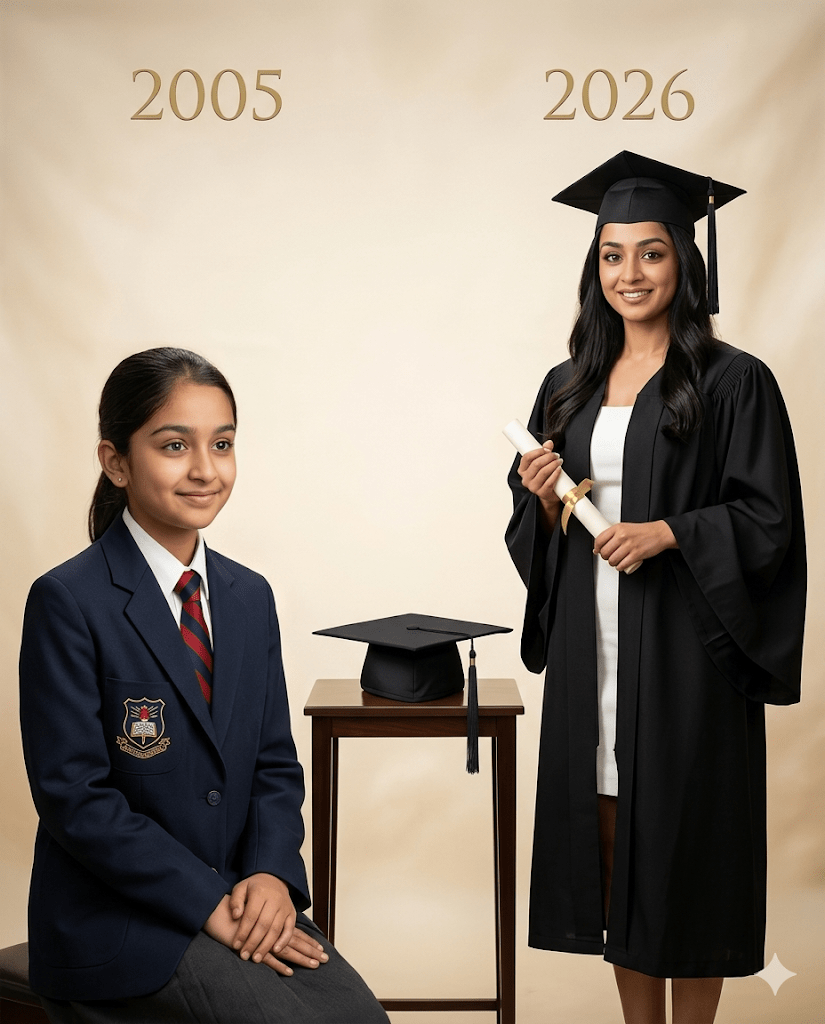
COPY-PASTE PROMPT ↓
Photo 1: School uniform photo from [YEAR]

  Photo 2: Graduation day photo from [YEAR]

  Left: School version with year above

  Right: Graduate version with year above

  Center: A simple graduation cap on a small table

  Background: Clean academic warm-toned studio

  Mood: Achievement. Pride. Growth.

Best for: Graduation season content. Gets massive engagement from parents and families.
Variation 2 — Friends Then and Now
COPY-PASTE PROMPT ↓
Photo 1: Group friend photo from [YEAR]

  Photo 2: Same group of friends today from [YEAR]

  Left: Old friend group — same face preservation rules

  Right: Current friend group — same face preservation rules

  Center: A small birthday cake or balloon arrangement

  Background: Warm neutral studio

  Mood: Nostalgic. Joyful. Best friends forever.

Best for: Friendship anniversaries, reunion posts, birthday tributes.
Variation 3 — Solo Glow Up Version
COPY-PASTE PROMPT ↓
Photo 1: My photo from [YEAR] — casual everyday look

  Photo 2: My photo from [YEAR] — current look

  Left: Past version of me — 100% face preserved

  Right: Present version of me — 100% face preserved

  Center: A simple flower vase or small decorative element

  Background: Clean studio — dark charcoal or warm beige

  Typography: "[PAST YEAR]" and "[PRESENT YEAR]" in gold above each side

  Mood: Personal glow up. Growth. Confidence.

Best for: Personal growth posts. Birthday posts. New year content.
Variation 4 — Parent and Child
COPY-PASTE PROMPT ↓
Photo 1: Parent holding newborn baby — from [YEAR]

  Photo 2: Same parent with child at current age — from [YEAR]

  Left: Newborn moment — faces preserved exactly

  Right: Current parent and child moment — faces preserved exactly

  Center: Small birthday cake with the child's age as the number

  Background: Warm soft studio

  Mood: Parenthood. Love. Time flies.

Best for: Birthday posts for parents. Gets enormous emotional engagement.
Variation 5 — Couple Anniversary
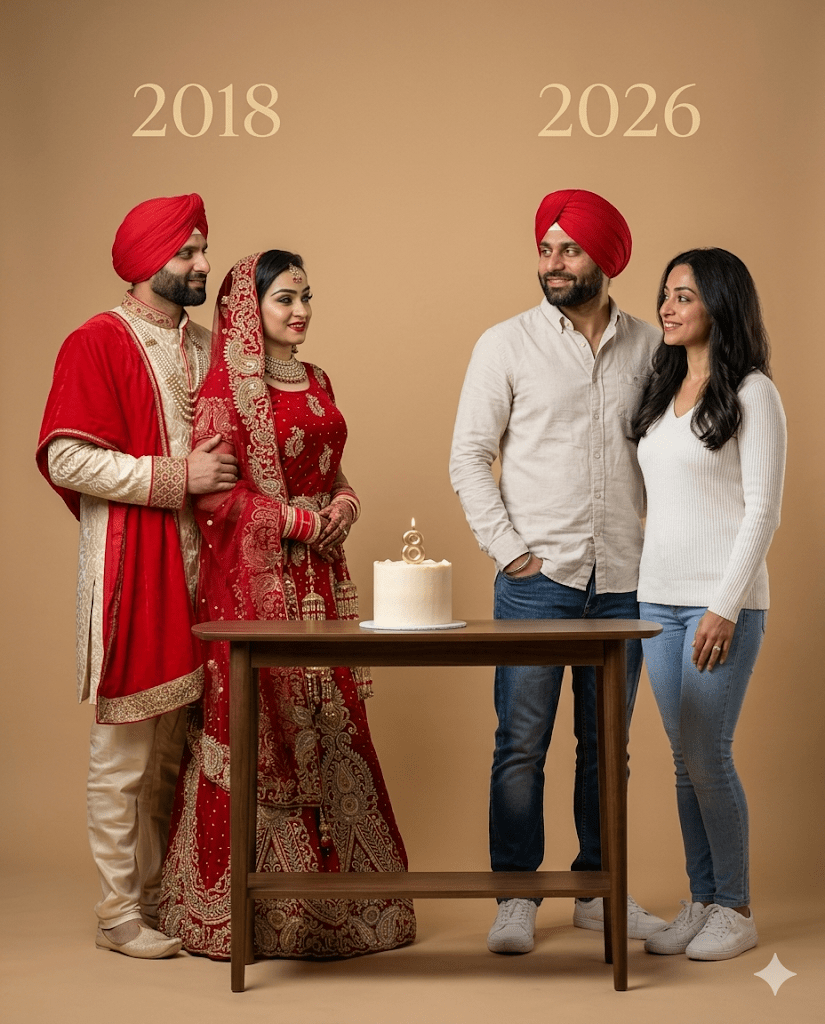
COPY-PASTE PROMPT ↓
Photo 1: First photo together as a couple from [YEAR]

  Photo 2: Latest couple photo from [YEAR]

  Left: Early relationship photo — 100% face preserved

  Right: Current couple photo — 100% face preserved

  Center: Anniversary cake with number of years on top

  Background: Romantic warm-toned studio

  Mood: Love. Commitment. Beautiful journey.

Best for: Anniversary posts. Valentine content. Relationship milestones.
Tips to Get the Best Results
- Upload the clearest photos you have. Blurry or dark photos make it very hard for the AI to preserve your face accurately across both frames. Natural light photos always work best.
- Be specific about what goes in the middle. Saying ‘a white birthday cake with the number 8 on top’ gives a much better result than just saying ‘cake.’
- Run it more than once. The first generation might not perfectly place both versions of you. Generate two or three times and choose the best result.
- Add the year numbers in the prompt clearly. Specifying ‘2018’ and ‘2026’ directly in the prompt makes a huge difference in the typography placement and quality.
- Keep the background instruction simple. The more complex your background instruction, the more likely the AI will mess up the faces. A plain warm studio background always gives the cleanest results.
Frequently Asked Questions
Which AI tool works best for this prompt?
ChatGPT with DALL-E 3 gives the most consistent results for multi-photo composite edits like this. Gemini AI also handles it well. Try both and see which gives you better face accuracy on your specific photos.
Can I use more than two photos?
The prompt is designed for two reference photos. Using more than two in a single generation often confuses the AI and reduces face accuracy. Stick to two for the cleanest results.
What if the faces look different from my real photos?
This usually happens when the reference photos are low quality or taken in dark conditions. Add to the prompt: ‘Preserve 100% identical face structure, skin tone, eye shape and features from both reference photos. Zero distortion.’
Can I do this for just one person instead of a couple?
Absolutely. The solo glow up variation above is designed exactly for that. Upload your past photo and your present photo and let the AI show your transformation.
Is the output safe to post on Instagram?
Yes. These edits contain no inappropriate content and are fully Instagram compliant. The output is already sized at 4:5 which is perfect for Instagram feed posts.
Will ChatGPT store my photos?
When you upload photos to ChatGPT or any AI platform, those platforms may store and retain your images according to their privacy policies. We recommend checking OpenAI’s privacy settings and opting out of data training if you prefer.
Conclusion
The ChatGPT time travel photo prompt is not just a trend. It is your story. Your journey. In one beautiful frame.
Whether it is your wedding to family, school to graduation, or a solo glow up — this prompt captures a moment that people genuinely feel. And when people feel something, they share it.
Copy the prompt. Upload your two photos. Create your time travel edit today.