You have seen this all over Instagram right now.
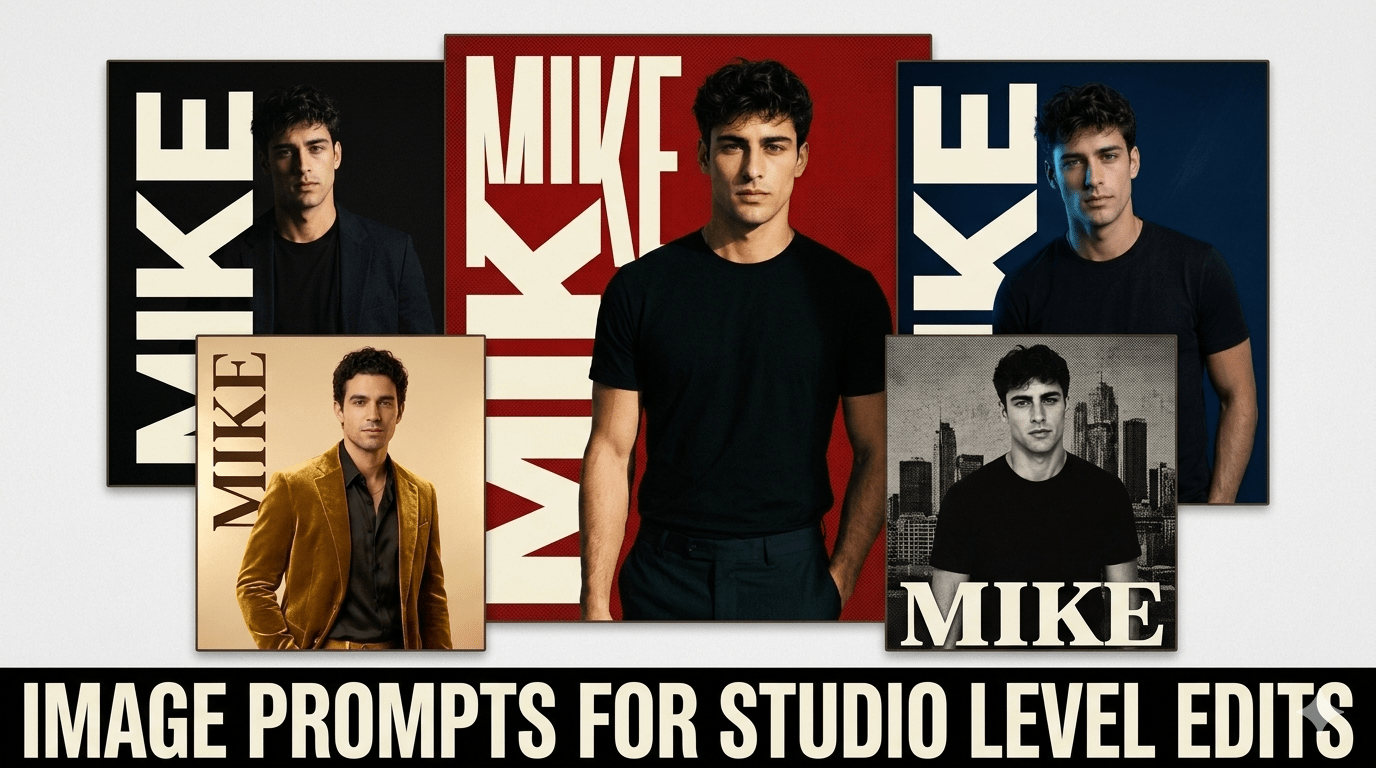
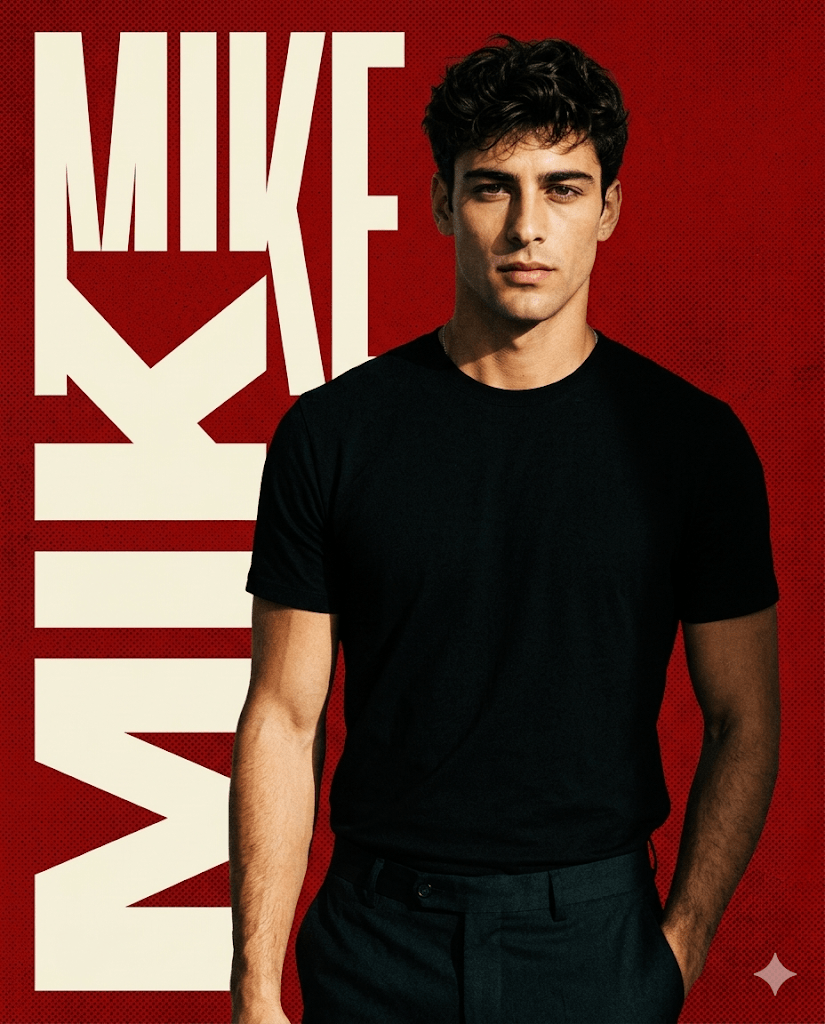
A bold red background. Your name printed in big block letters on the side. You standing in the middle like a magazine cover model. It looks like a professional studio shoot — but it was made with one single AI prompt.
That is exactly what this ChatGPT red background name poster prompt does. And right now, it is one of the most viral AI photo edits trending on Instagram in 2026.
If you want that same editorial poster look with your own photo and your own name, you are in the right place. I am going to give you the full prompt, explain how it works, and show you variations you can try today.
Let’s get into it.
What Is the Red Background Name Poster Trend?
If you have been scrolling Instagram lately, you already know this style.
It is a studio-quality portrait with a bold red background, your name printed vertically or diagonally in large cream or white block letters, and you posed in the centre like a celebrity editorial shoot. The lighting is high contrast and cinematic. The skin tones are real and sharp. It looks nothing like a basic AI edit.
This style first went viral with creators on Instagram, who showed that you could create this professional poster look using just AI — no studio, no photographer, no Photoshop.
And now everyone is doing it. Because the results are genuinely stunning.
Why This Prompt Is Viral Right Now
Here is the truth about why this edit works so well on Instagram.
It looks expensive but it is completely free. People stop scrolling when they see a high-contrast red poster with bold name typography. It feels like a brand campaign — and that is what makes it go viral.
The combination of three elements is what makes it work:
- Bold red background — high contrast colors always outperform soft aesthetics in engagement
- Name typography — personalization makes people share it immediately
- Real face preservation — it looks like you, not an AI version of you
That is a rare combination. Most AI edits either look too fake or too generic. This one feels personal and premium at the same time.
The Full Prompt — Copy and Paste
This is the exact ChatGPT red background name poster prompt that is going viral. Replace [YOUR NAME] with your actual name before generating.
COPY-PASTE PROMPT :
Use the uploaded photo as the ONLY facial identity reference.

  Face must remain 100% identical — no beautification, no reshaping,

  no skin smoothing. Preserve real skin texture, expression,

  and proportions exactly.

  Style: High-contrast studio editorial poster.

  Background: Bold solid red — deep, saturated, cinematic red tone.

  Add halftone dot texture overlay on the background for

  a magazine poster effect.

  Typography: Write [YOUR NAME] in large bold block letters

  vertically along the left side of the image.

  Font style: thick, cream or off-white, uppercase editorial font.

  Letters should overlap slightly with the subject for depth.

  Lighting: Strong directional studio light from the left.

  High contrast between subject and background.

  Sharp shadows on the right side.

  Skin tones warm, realistic, and detailed.

  Pose: Subject standing confidently, slight body turn,

  relaxed expression, hand in pocket or natural position.

  Full body or three-quarter shot.

  Quality: Ultra-realistic. 4K. Sharp focus on face and outfit.

  No cartoon, no over-smoothing, no artificial glow.

  iPhone-quality natural color science.

  Aspect ratio 4:5 for Instagram.
How to Use It Step by Step
This is the simplest part. Follow these four steps.
Step 1 — Pick the right photo.
Use a clear, well-lit solo photo of yourself. Front-facing or slight angle works best. Avoid group photos and heavily filtered selfies.
Step 2 — Open ChatGPT or Gemini.
Go to chat.openai.com or gemini.google.com. Make sure you are on the version that supports image uploads.
Step 3 — Upload your photo and paste the prompt.
Upload your reference photo first. Then paste the prompt above. Replace [YOUR NAME] with your name before sending.
Step 4 — Download and post.
Download in the highest resolution available. The output is already sized for Instagram. Post it directly.
That is it. Four steps to a studio poster that looks like it cost thousands to produce.
Variations to Try
Once you have your first result, try these variations. Each one gives a completely different feel while using the same poster structure.
Variation 1 — Black Background Version
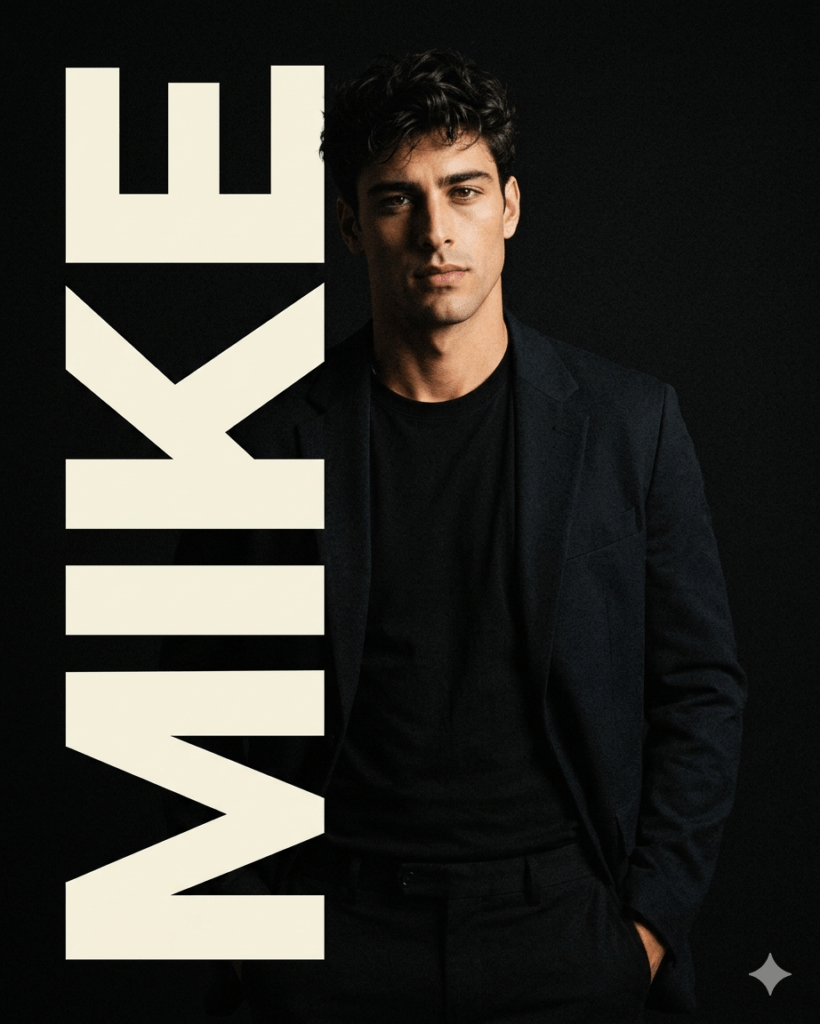
COPY-PASTE PROMPT ↓
Same structure as the main prompt above.

  Change background to: Deep matte black with subtle grain texture overlay.

  Name typography color: Bold white or neon gold.

  Lighting: Rembrandt studio lighting, strong left-side key light.

  Mood: Luxury. Dark editorial. High fashion.

Best for: Moody, premium, dark aesthetic feeds.
Variation 2 — Blue Cinematic Version
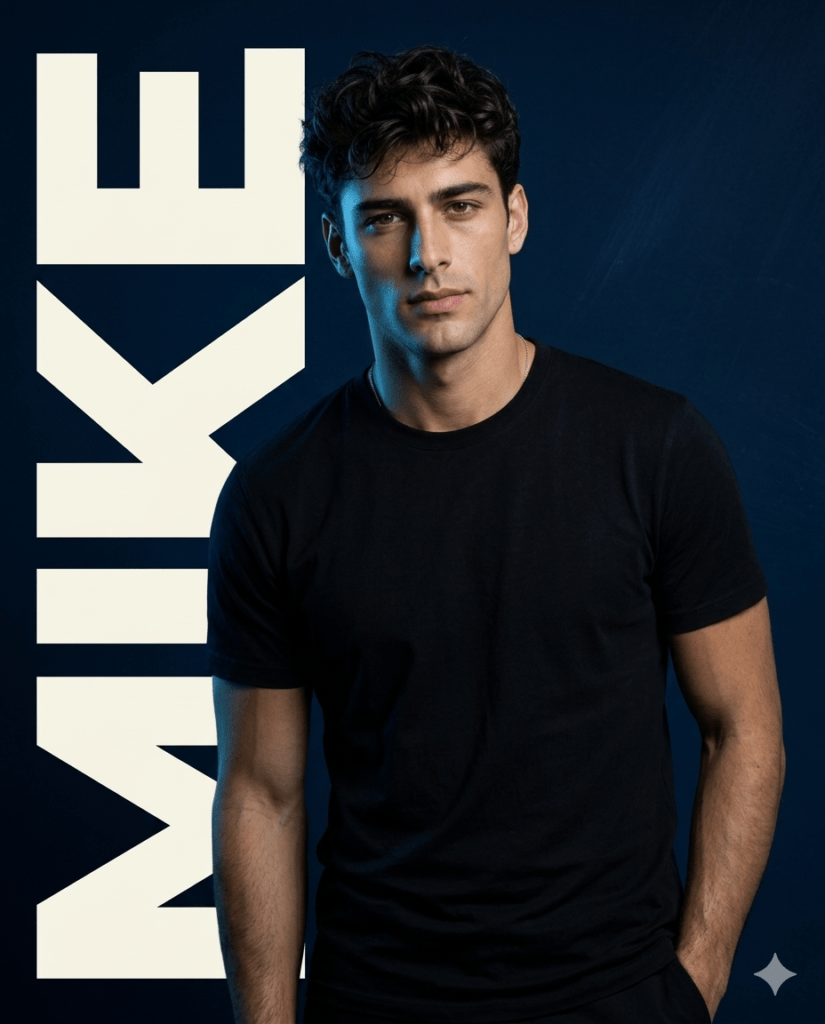
COPY-PASTE PROMPT ↓
Same structure as the main prompt above.

  Background: Warm champagne gold — soft and premium.

  Name typography: Large serif font in deep brown or black.

  Lighting: Warm golden studio light, soft shadows.

  Mood: Luxury brand campaign. Wedding. Celebration.

Best for: Wedding content, celebration posts, personal branding.
Variation 3 — Gold and Cream Luxury Version
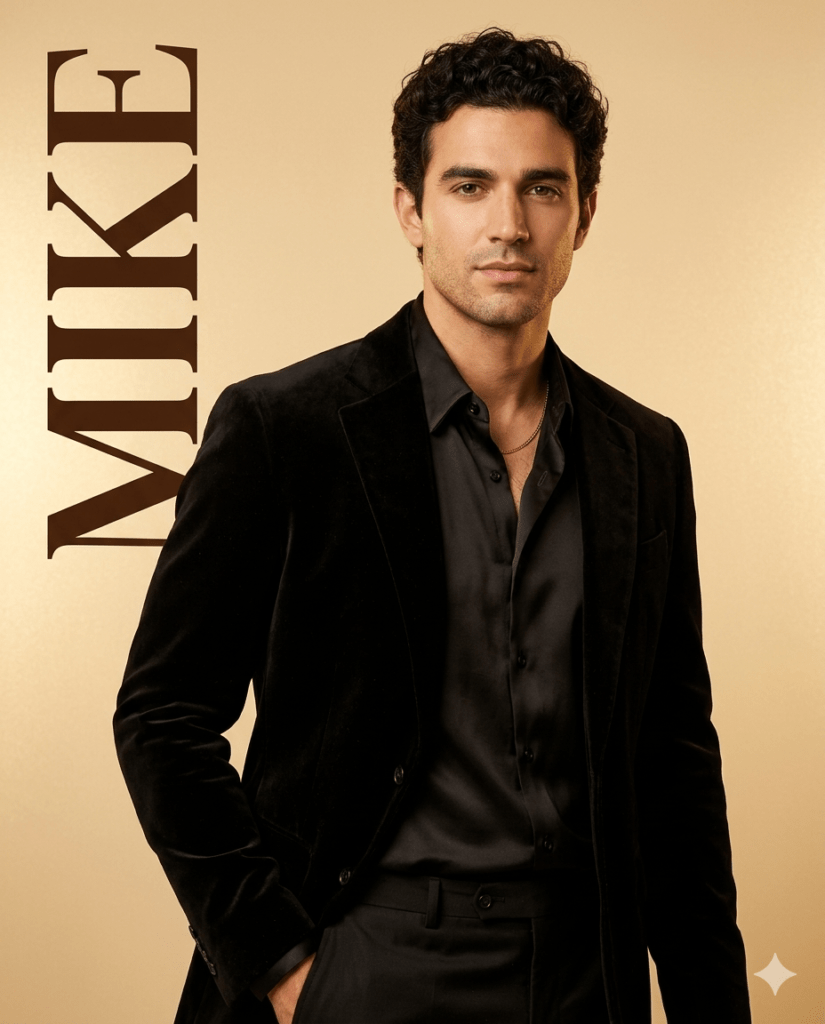
COPY-PASTE PROMPT ↓
Same structure as the main prompt above.

  Background: Warm champagne gold — soft and premium.

  Name typography: Large serif font in deep brown or black.

  Lighting: Warm golden studio light, soft shadows.

  Mood: Luxury brand campaign. Wedding. Celebration.

Best for: Wedding content, celebration posts, personal branding.
Variation 4 — Double Exposure Name Version
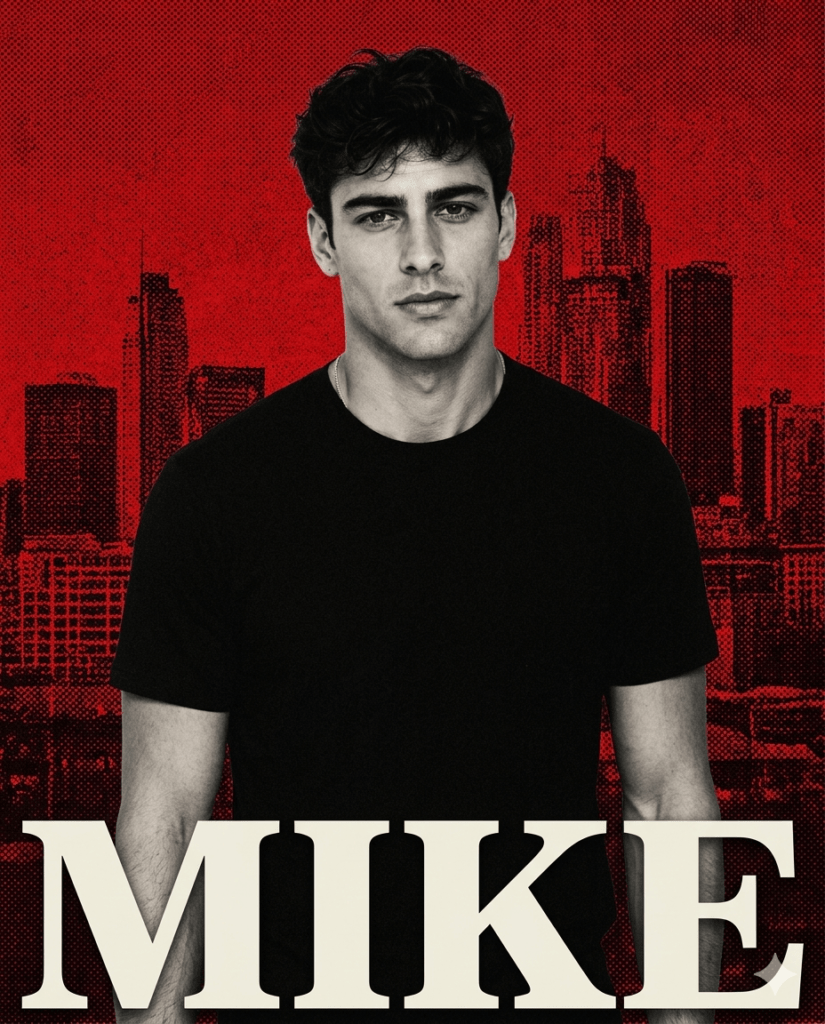
COPY-PASTE PROMPT ↓
Same structure as the main prompt above.

  Background: Deep red with subtle city skyline silhouette

  blended into the background at 30% opacity.

  Name typography: Bold block letters spanning the full width at bottom.

  Lighting: Strong front flash with warm red tones.

  Mood: Bold. Streetwear. Urban.

Best for: Street style, fashion content, bold creative feeds.
Tips for the Best Output
- Use a high resolution photo. The clearer your reference image, the more accurately the AI will preserve your face. Blurry selfies give blurry results.
- Run it two or three times. AI generation varies. Your first output might not perfectly nail the name typography or pose. Run it again and pick the best one.
- Keep your name short. Long names with more than eight letters sometimes break the layout. Try using just your first name or a nickname.
- Try different name placements. Add to the prompt: ‘Name placed diagonally across the full frame’ or ‘Name placed horizontally at the top’ for different visual styles.
- Post as a Reel for maximum reach. Record your screen while the AI generates your poster then reveal the final result. This format is getting millions of views right now.
Frequently Asked Questions
Which AI tool works best for this prompt?
ChatGPT and Gemini AI both produce excellent results. For the most accurate face preservation, ChatGPT is slightly more consistent. Gemini sometimes handles the typography better.
Can I use any photo or does it need to be a specific type?
Any clear solo photo works. Natural light photos without heavy filters give the best results. Avoid photos taken in very dark environments.
Why does the AI sometimes change my face?
This usually happens when the reference photo is low quality or when the prompt is too short. The identity lock instructions in the prompt above are specifically written to prevent this. Try uploading a higher resolution photo.
Can I change the name to someone else’s?
Yes. Replace [YOUR NAME] with any name you want. This works great for creating gifts, birthday posters, and tribute edits for friends and family.
Is this style only for boys or does it work for girls too?
It works for everyone. The style is completely gender-neutral. The red background and bold typography look just as stunning on women. For a softer feminine version, try the gold and cream variation above.
Conclusion
The ChatGPT red background name poster prompt is one of the easiest ways to create something that genuinely looks professional on Instagram — without spending a single rupee on a studio or an editor.
One photo. One prompt. One viral post.
Copy the prompt above, upload your photo, and generate your poster today. Then check our Portrait and People collection for more prompts that will transform your Instagram feed.